> For the complete documentation index, see [llms.txt](https://docs.terrakube.io/llms.txt). Markdown versions of documentation pages are available by appending `.md` to page URLs; this page is available as [Markdown](https://docs.terrakube.io/user-guide/workspaces/team-access.md).
# Team Access
A workspace's **Team Access** tab grants teams access scoped to that single workspace, on top of whatever they already have from [organization](/user-guide/organizations/team-management.md) or [project](/user-guide/projects/team-access.md) level permissions. Access is always additive — a role granted here can't take away permissions a team already has at the organization or project level.
{% hint style="info" %}
Managing workspace team access requires the **Manage Workspace** permission on that workspace (from any level of the hierarchy).
{% endhint %}
### Roles
| Role | Description |
| ---------- | ---------------------------------------------------------- |
| **Admin** | Full control over this workspace |
| **Write** | Can plan, apply runs, and manage this workspace's settings |
| **Plan** | Can queue plans but cannot apply changes |
| **Read** | Read-only access to this workspace and its runs |
| **Custom** | Fine-grained permissions, picked individually |
### Custom permissions
When **Custom** is selected:
| Permission | Description |
| ---------------- | ------------------------------------------------------------ |
| Plan Runs | Queue plan runs on this workspace |
| Apply Runs | Approve/apply runs on this workspace |
| Manage Workspace | Administrate this workspace's settings |
| Manage State | View the terraform/tofu state for this workspace from the UI |
### Adding a team
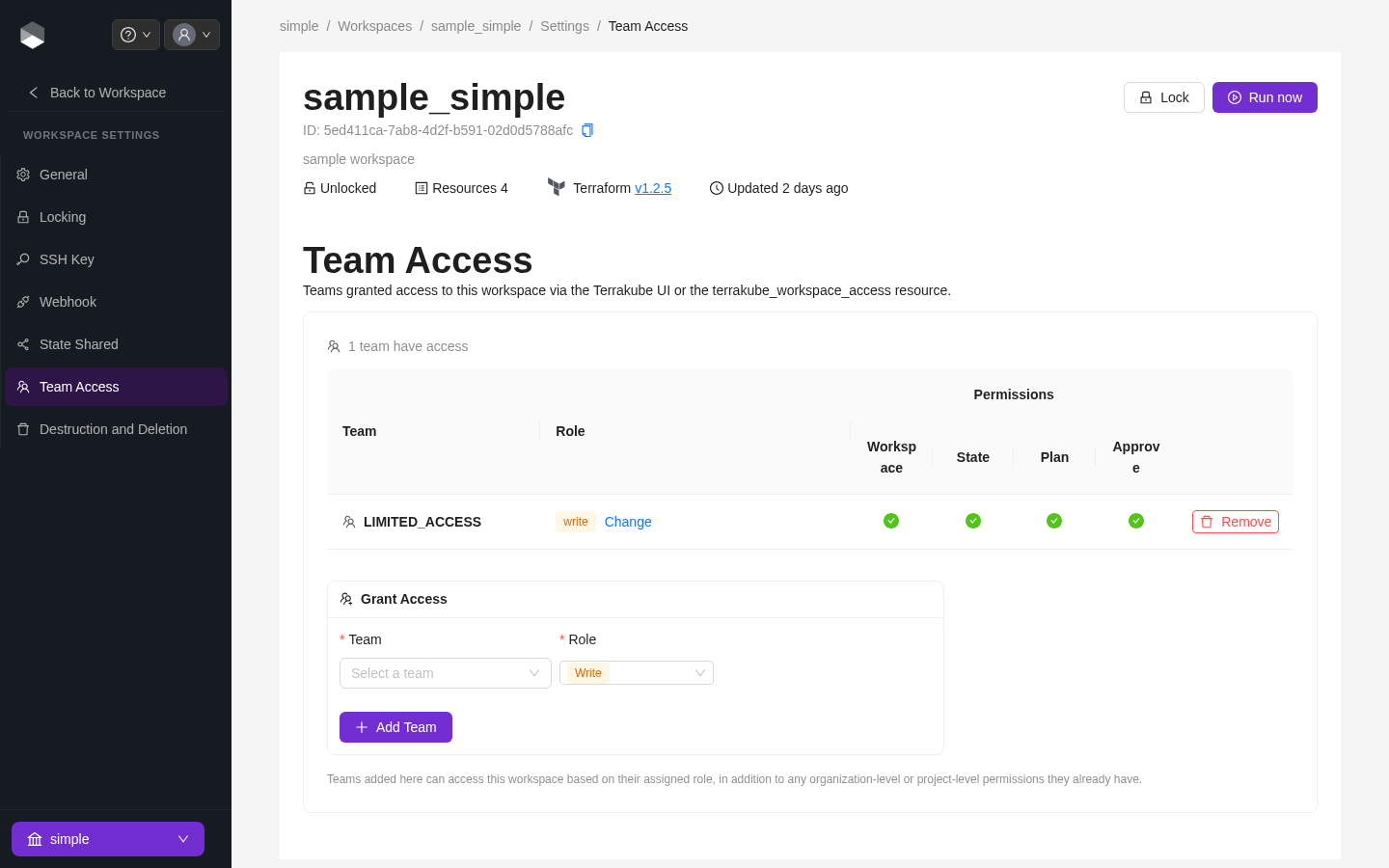
Open the workspace, go to **Settings > Team Access**, select a team and a role, and click **Add**.
Team Access tab, with one team granted the Write role
{% hint style="info" %}
This tab can also be managed via the `terrakube_workspace_access` resource in the [Terrakube Terraform provider](https://registry.terraform.io/providers/AzBuilder/terrakube), or the [Workspace Access](/user-guide/terrakube-cli/commands/workspace-access.md) CLI commands.
{% endhint %}
---
# Agent Instructions
This documentation is published with GitBook. GitBook is the documentation platform designed so that both humans and AI agents can read, navigate, and reason over technical content effectively. Learn more at gitbook.com.
## Querying This Documentation
If you need additional information that is not directly available in this page, you can query the documentation by asking a question.
Perform an HTTP GET request on the following URL with the `ask` and `goal` query parameters:
```
GET https://docs.terrakube.io/user-guide/workspaces/team-access.md?ask=&goal=
```
`ask` is the immediate question: it should be specific, self-contained, and written in natural language.
`goal` is what the user is ultimately trying to achieve, the reason they need the answer. Sharing it helps GitBook give you a better, more relevant answer. A goal is most helpful when it describes the outcome the user wants rather than restating the question. For example, with `ask=how do I create an API token`, a goal like `automate deployments from our CI pipeline` lets GitBook tailor the answer to that use case.
The response will contain a direct answer to the question and relevant excerpts and sources from the documentation.
Use this mechanism when the answer is not explicitly present in the current page, you need clarification or additional context, or you want to retrieve related documentation sections.