> For the complete documentation index, see [llms.txt](https://docs.terrakube.io/llms.txt). Markdown versions of documentation pages are available by appending `.md` to page URLs; this page is available as [Markdown](https://docs.terrakube.io/user-guide/organizations/variable-collections.md).
# Variable Collections
A **variable collection** is a named, reusable set of variables at the organization level that you can apply to any number of workspaces — similar to a "variable set" in other Terraform automation tools. Instead of copying the same provider config, tags, or environment variables into every workspace, define them once in a collection and attach it to whichever workspaces need it.
Manage collections from **Organization Settings > Variable Collections**.
{% hint style="info" %}
Managing collections requires the **Manage Collections** permission. See [Team Management](/user-guide/organizations/team-management.md).
{% endhint %}
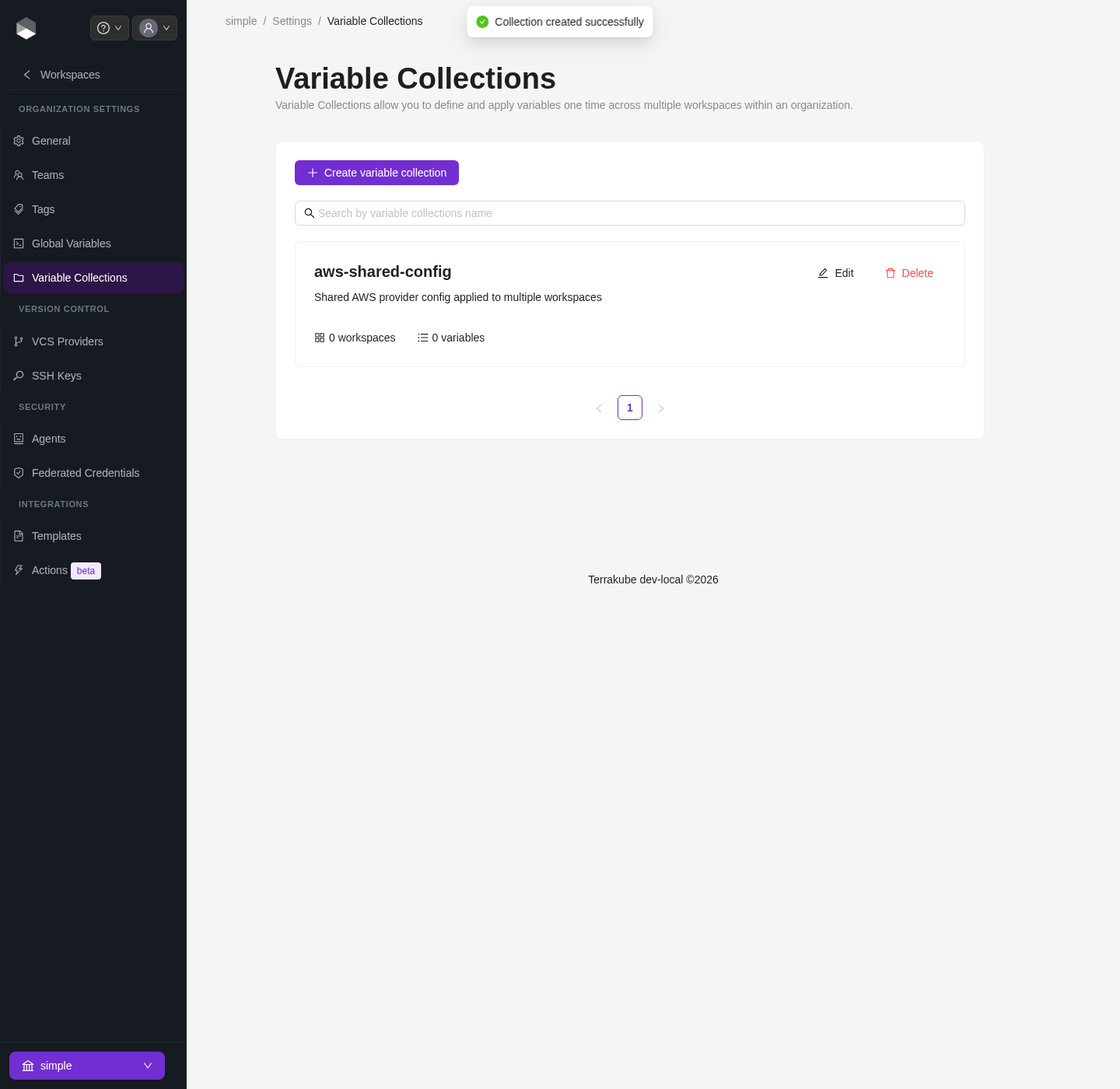
A newly created variable collection, before any variables are added
### Creating a collection
1. Click **New collection**, give it a **name**, an optional **description**, and a **priority** (see [Resolution order](#resolution-order) below).
2. Optionally select workspaces under **Apply to workspaces** to attach the collection immediately — you can also attach or remove workspaces later.
3. Save the collection, then add variables to it.
### Variables in a collection
Each item in a collection has the same shape as a regular workspace variable:
| Field | Description |
| ----------- | -------------------------------------------------------------------------- |
| Key | Variable name |
| Value | Variable value |
| Category | `Terraform` (passed as a `-var`) or `Environment` (an env var for the run) |
| Sensitive | Hides the value after saving; cannot be retrieved once set |
| HCL | Whether the value should be parsed as HCL instead of a plain string |
| Description | Optional note |
A collection with one environment variable added
### Attaching a collection to workspaces
On the collection's edit page, the **Apply to workspaces** field under **Variable collection scope** picks which workspaces the collection applies to. Only the workspaces selected there receive the collection's variables — removing a workspace from this list detaches the collection without deleting the collection or its variables.
### Resolution order
When a job runs, variables are resolved in this order, with earlier sources winning on key conflicts:
1. **Workspace variables** — set directly on the workspace
2. **Organization global variables** — see [Global Variables](/user-guide/organizations/global-variables.md)
3. **Variable collections** — applied to the workspace, highest **priority** first; if two collections both define the same key, the one with the higher priority number wins
{% hint style="warning" %}
A variable collection can never override a workspace-level or global variable with the same key — it only fills in keys that aren't already set. Use priority to control conflicts **between** collections, not between a collection and the workspace itself.
{% endhint %}
---
# Agent Instructions
This documentation is published with GitBook. GitBook is the documentation platform designed so that both humans and AI agents can read, navigate, and reason over technical content effectively. Learn more at gitbook.com.
## Querying This Documentation
If you need additional information that is not directly available in this page, you can query the documentation by asking a question.
Perform an HTTP GET request on the following URL with the `ask` and `goal` query parameters:
```
GET https://docs.terrakube.io/user-guide/organizations/variable-collections.md?ask=&goal=
```
`ask` is the immediate question: it should be specific, self-contained, and written in natural language.
`goal` is what the user is ultimately trying to achieve, the reason they need the answer. Sharing it helps GitBook give you a better, more relevant answer. A goal is most helpful when it describes the outcome the user wants rather than restating the question. For example, with `ask=how do I create an API token`, a goal like `automate deployments from our CI pipeline` lets GitBook tailor the answer to that use case.
The response will contain a direct answer to the question and relevant excerpts and sources from the documentation.
Use this mechanism when the answer is not explicitly present in the current page, you need clarification or additional context, or you want to retrieve related documentation sections.