> For the complete documentation index, see [llms.txt](https://docs.terrakube.io/llms.txt). Markdown versions of documentation pages are available by appending `.md` to page URLs; this page is available as [Markdown](https://docs.terrakube.io/2.33.0/getting-started/development/dev-container.md).
# Local Dev Container
This page contains the configuration for a development container that provides a consistent environment for working with Terrakube.
The devcontainer includes all the necessary tools and dependencies to develop both the Java backend, TypeScript frontend components and includes terraform CLI.
{% hint style="info" %}
The below was tested using Ubuntu-based distribution and Windows 11 with Firefox browser.
{% endhint %}
### Features
* Java 25 (Liberica)
* Maven 3.9.9
* Node.js 22.x with Yarn
* VS Code extensions for Java, JavaScript/TypeScript
### Getting Started
#### Prerequisites
* [Visual Studio Code](https://code.visualstudio.com/)
* [VS Code Remote - Containers extension](https://marketplace.visualstudio.com/items?itemName=ms-vscode-remote.remote-containers)
**Local Development Domains**
To use the devcontainer we need to setup the following domains in our local computer:
```
terrakube.platform.local
terrakube-api.platform.local
terrakube-registry.platform.local
terrakube-dex.platform.local
```
**HTTPS Local Certificates**
Install [mkcert](https://github.com/FiloSottile/mkcert#installation) to generate the local certificates.
To generate local CA certificate execute the following:
```
mkcert -install
Created a new local CA 💥
The local CA is now installed in the system trust store! ⚡️
The local CA is now installed in the Firefox trust store (requires browser restart)! 🦊
```
**Local DNS entries**
Update the /etc/hosts or C:\Windows\System32\drivers\etc\hosts file adding the following entries:
```
127.0.0.1 terrakube.platform.local
127.0.0.1 terrakube-api.platform.local
127.0.0.1 terrakube-registry.platform.local
127.0.0.1 terrakube-dex.platform.local
```
#### Opening the Project in a Dev Container
* Clone the Terrakube repository and run the project:
```
git clone https://github.com/AzBuilder/terrakube.git
cd terrakube/.devcontainer
mkcert -key-file key.pem -cert-file cert.pem platform.local *.platform.local
CAROOT=$(mkcert -CAROOT)/rootCA.pem
cp $CAROOT rootCA.pem
cd ..
code .
```
1. When prompted to "Reopen in Container", click "Reopen in Container". Alternatively, you can:
* Press F1 or Ctrl+Shift+P
* Type "Remote-Containers: Reopen in Container" and press Enter
2. Wait for the container to build and start. This may take a few minutes the first time.
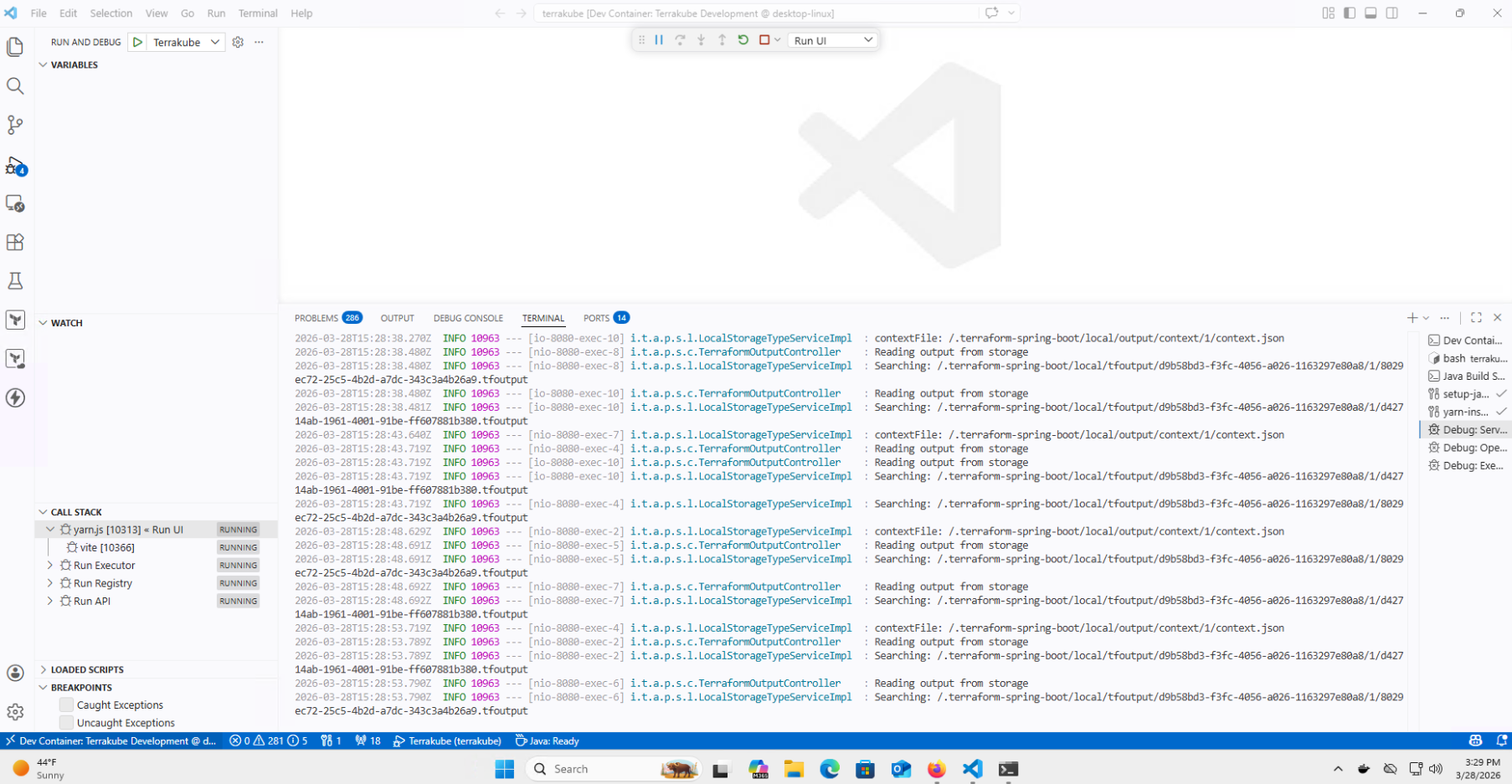
3. Start all Terrakube component
4. Terrakube should be availabe with the following url `https://terrakube.platform.local` using `admin@example.com` with password `admin`
### Windows devcontainer
Sometimes in windows the `postCreateCommand` fails because of how windows manage the new lines characters
To fix this it is required to open a terminal in VS Code and run the following:
```bash
sed -i 's/\r$//' ./scripts/setupDevelopmentEnvironment.sh
bash ./scripts/setupDevelopmentEnvironment.sh
```
### Running Terrakube
### Ports
The devcontainer forwards the following ports:
* 8080: Terrakube API
* 8075: Terrakube Registry
* 8090: Terrakube Executor
* 3000: Terrakube UI
* 80/443: Traefik Gateway
### Customization
You can customize the devcontainer by modifying:
* `.devcontainer/devcontainer.json`: VS Code settings and extensions
* `.devcontainer/Dockerfile`: Container image configuration
---
# Agent Instructions
This documentation is published with GitBook. GitBook is the documentation platform designed so that both humans and AI agents can read, navigate, and reason over technical content effectively. Learn more at gitbook.com.
## Querying This Documentation
If you need additional information that is not directly available in this page, you can query the documentation by asking a question.
Perform an HTTP GET request on the following URL with the `ask` and `goal` query parameters:
```
GET https://docs.terrakube.io/2.33.0/getting-started/development/dev-container.md?ask=&goal=
```
`ask` is the immediate question: it should be specific, self-contained, and written in natural language.
`goal` is what the user is ultimately trying to achieve, the reason they need the answer. Sharing it helps GitBook give you a better, more relevant answer. A goal is most helpful when it describes the outcome the user wants rather than restating the question. For example, with `ask=how do I create an API token`, a goal like `automate deployments from our CI pipeline` lets GitBook tailor the answer to that use case.
The response will contain a direct answer to the question and relevant excerpts and sources from the documentation.
Use this mechanism when the answer is not explicitly present in the current page, you need clarification or additional context, or you want to retrieve related documentation sections.
.png?alt=media)
.png?alt=media)